Know who has paid, and what is about to expire.
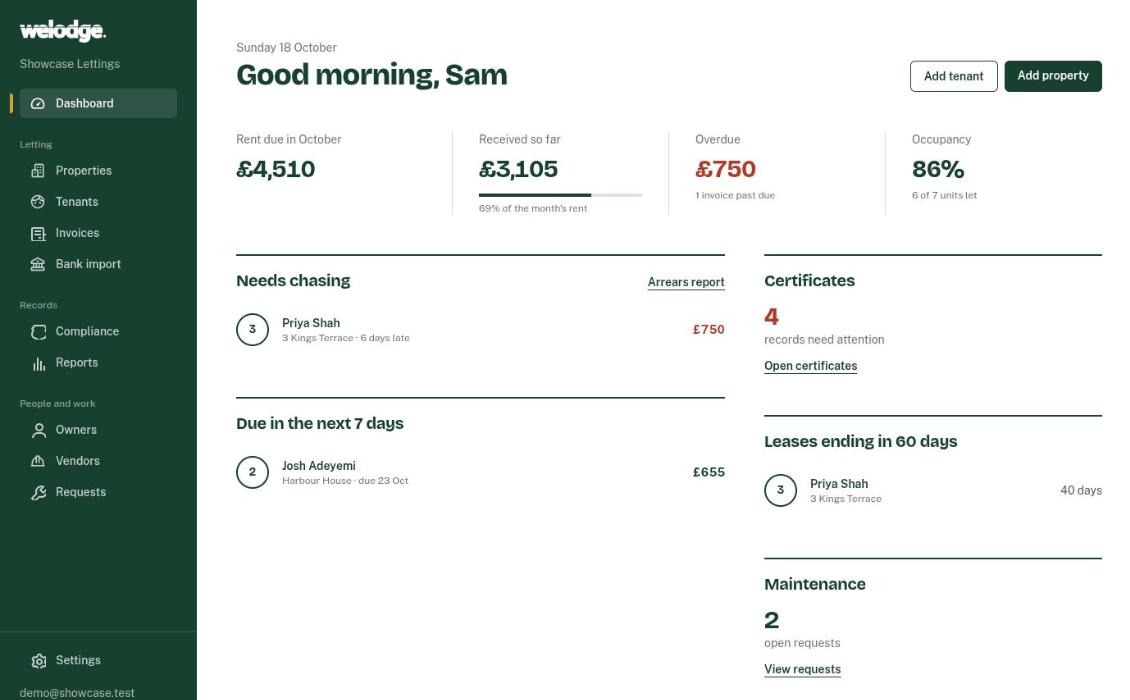
Welodge sends rent invoices to your tenants, reminds them before the due date, matches payments from your bank statement and flags certificates before they expire.
No card needed. Afterwards you can stay on the Free plan, which covers one property.
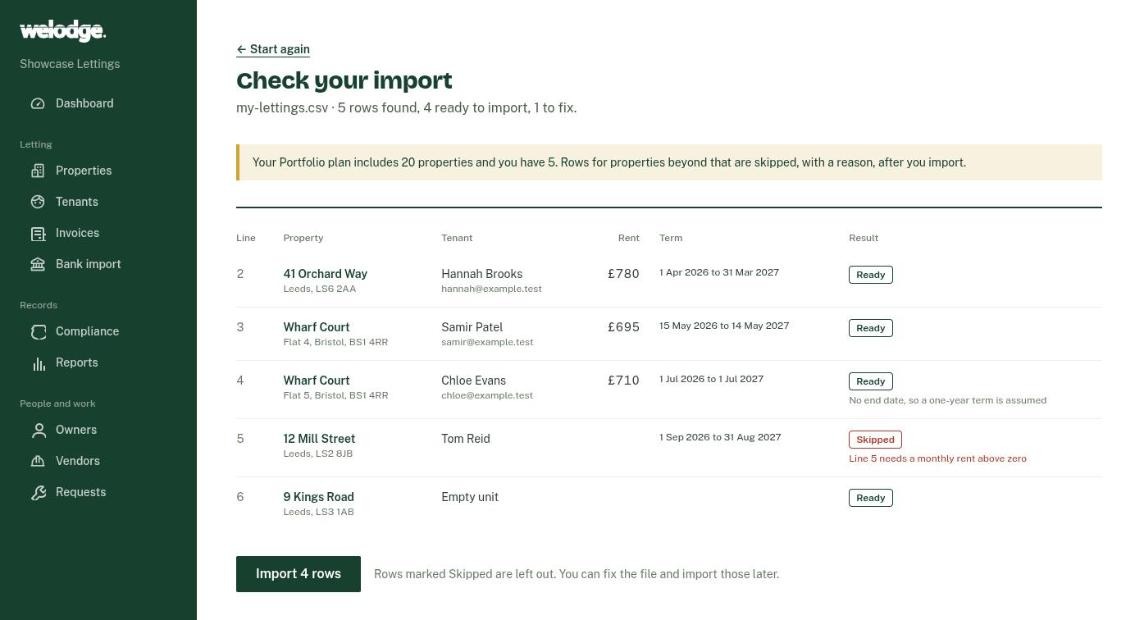
Start from the spreadsheet you already keep
Upload a CSV of your addresses, tenants and rents. Welodge shows you exactly what it will create, and which rows it will skip and why, before anything is saved. Existing tenancies come in as active, and your tenants aren't emailed.
Done in minutes, not an evening of typing.
Rent, from invoice to matched payment
-
The invoice goes out
Switch on automatic invoicing and each rent period is invoiced and emailed to the tenant.
-
Reminders do the chasing
Tenants get a reminder three days before the due date, then a weekly reminder while it stays unpaid.
-
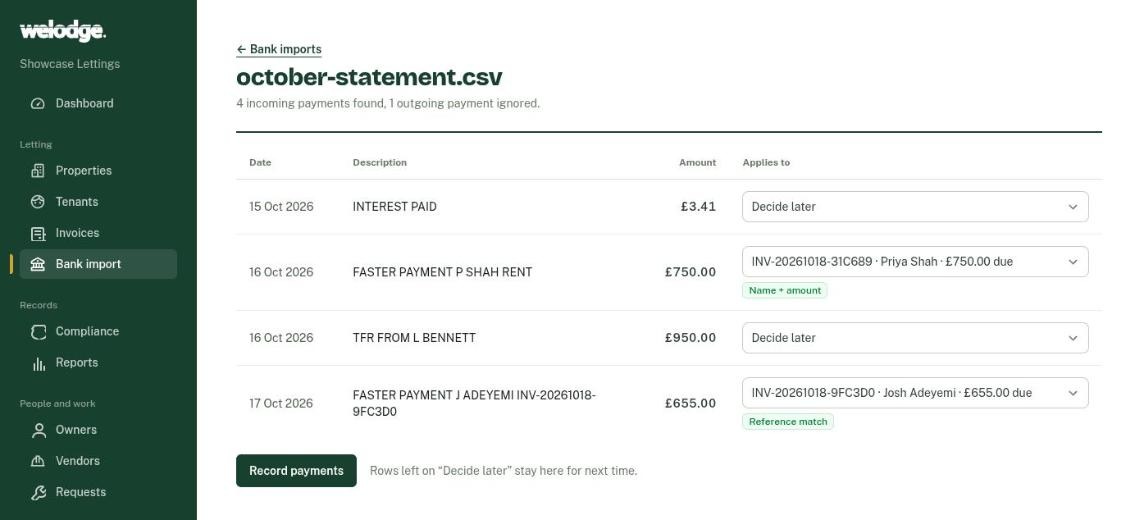
Your bank statement does the matching
Upload a CSV. Welodge suggests which invoice each payment belongs to, and you review the list and confirm.
Tenants keep paying you by bank transfer. Welodge matches the payment to the invoice.
Certificates and expiry dates, property by property
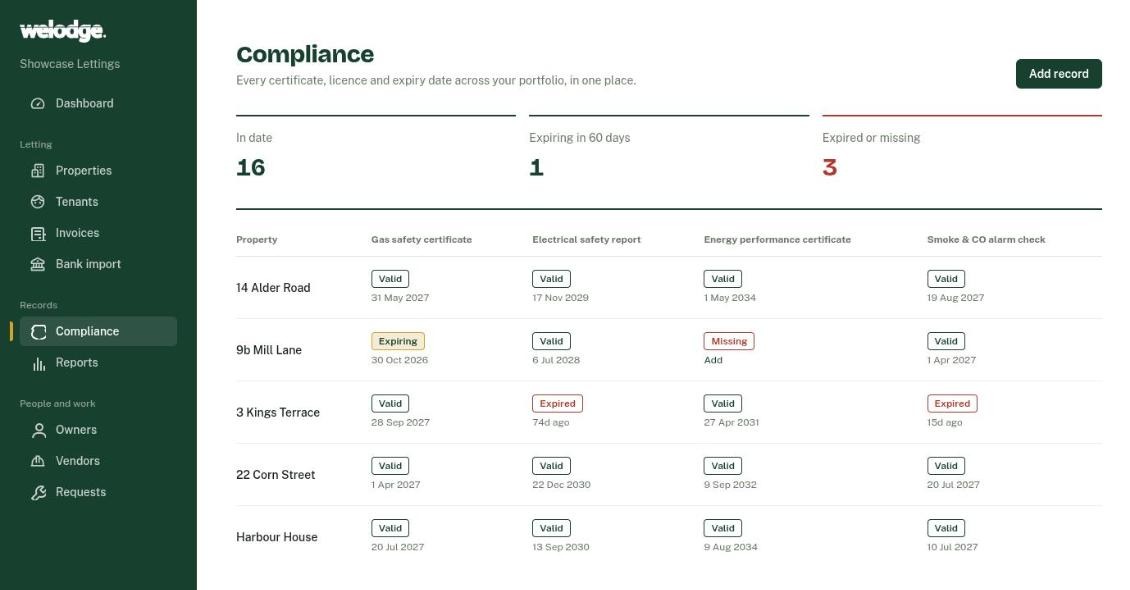
Record the gas safety certificate, electrical report (EICR), EPC and smoke and CO alarm checks for each property, with the PDF attached. Expiry dates are worked out from the issue date.
Anything expired, missing or due within 60 days is flagged, and a weekly email lists what needs attention.
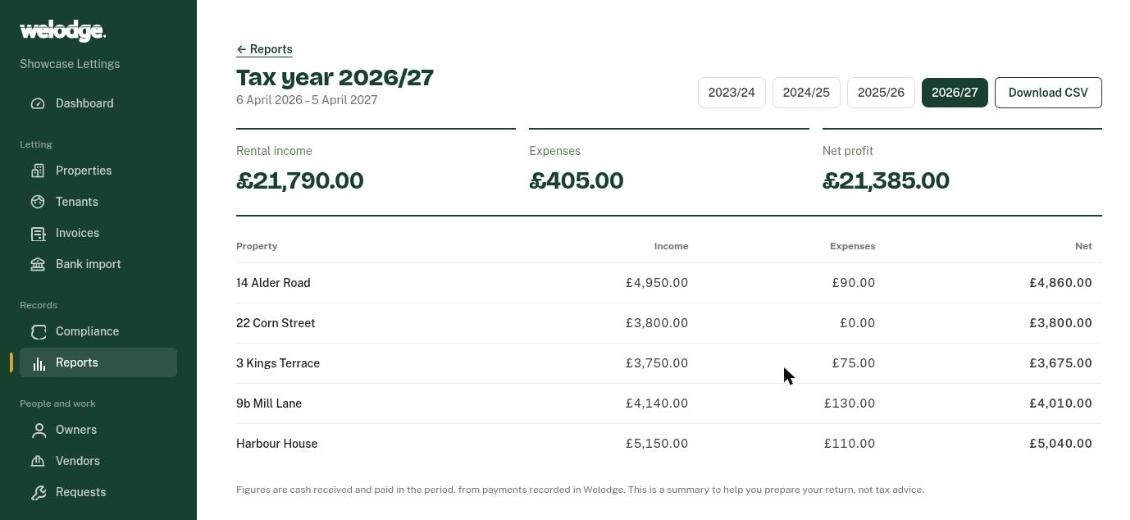
Tax-year totals for each property
Rent received and contractor bills paid are totalled for each property across the 6 April to 5 April tax year. Download the transactions as a CSV to give to your accountant.
Free for one property. Paid plans from £14 a month.
Compare plans- Free
- £0
- 1 property, rent reminders and maintenance requests
- Landlord
- £14 a month
- Up to 5 properties, automatic invoices, bank statement import, certificate tracking, planned rent increases, CSV export
- Portfolio
- £29 a month
- Up to 20 properties, plus the tax-year summary, contractor bills and audit history
- Agency
- £69 a month
- Unlimited properties, monthly owner statements for the people you manage for, and priority support
Pay yearly and get two months free. Every new account starts with 14 days of the Portfolio plan.
Questions landlords ask
Can my tenants pay through Welodge?
No. Tenants keep paying you by bank transfer or standing order, as they do now, and the money goes straight to you. Welodge matches the payments from your bank statement to the right invoices.
Which bank statements can I upload?
Download a CSV statement from your online banking and upload it. Welodge reads files that have a date column and either one amount column or separate money in and money out columns. Payments you've already confirmed are skipped if you upload the same period twice.
Which certificates can I track?
Gas safety, electrical (EICR), EPC and smoke and CO alarm checks have their own columns, with expiry dates worked out for you. You can add other records, such as licences or insurance, with your own expiry dates.
What happens when the 14 days are over?
You move to the Free plan unless you choose a paid one. Nothing is deleted. Paid features such as automatic invoices, bank import and the certificate tracker lock until you choose a plan, and you can't add another property beyond the one the Free plan covers.
Do I need a card to try it?
No. Sign up with your email and start adding properties. You enter payment details only when you choose a paid plan.